AI CLASSES & CREATIVE CODING TOOLS · AGES 5–17
AI classes and creative coding tools for kids aged 5–17.
Children create stories, games and real coding projects through small-group classes, 1-on-1 tutoring and safe tools they can try at home.
AI CLASSES & CREATIVE CODING TOOLS · AGES 5–17
Children create stories, games and real coding projects through small-group classes, 1-on-1 tutoring and safe tools they can try at home.
These are useful starting points, not rigid boxes. Children can move between them as their confidence grows.
Ages 5–8
Story Blocks
Explore Story Blocks →
Ages 8–14
Creative Code Studio
Explore Creative Code Studio →
Ages 12+
Kids OpenCode
Explore Kids OpenCode →
These are clearly labelled product demos and inspiration examples, not invented student outcomes.
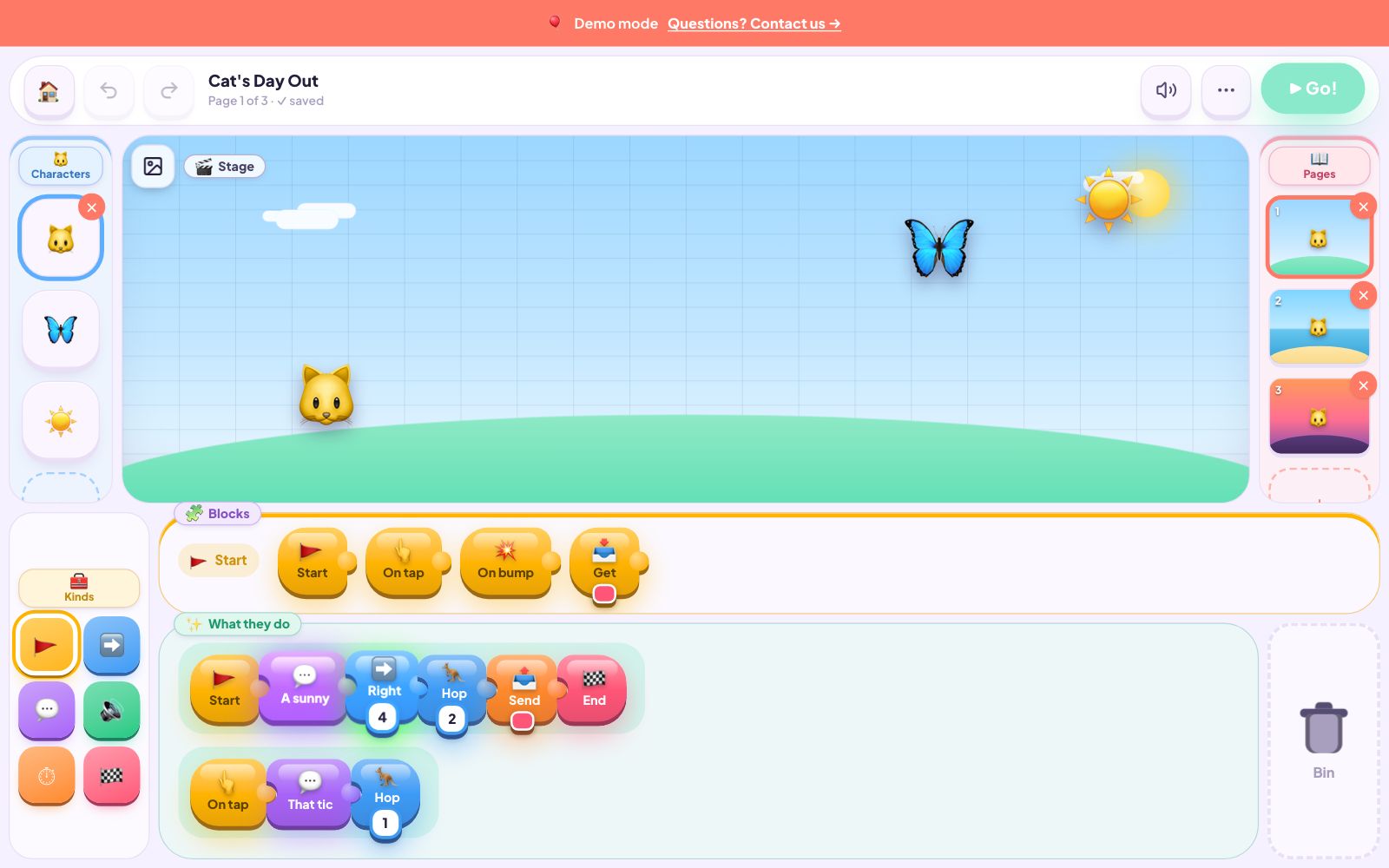
PRODUCT DEMO · AGES 5–8
Child’s work: Arrange readable blocks so characters move, speak and react.
They practise: Sequence, cause and effect, testing and storytelling.
Explore this path →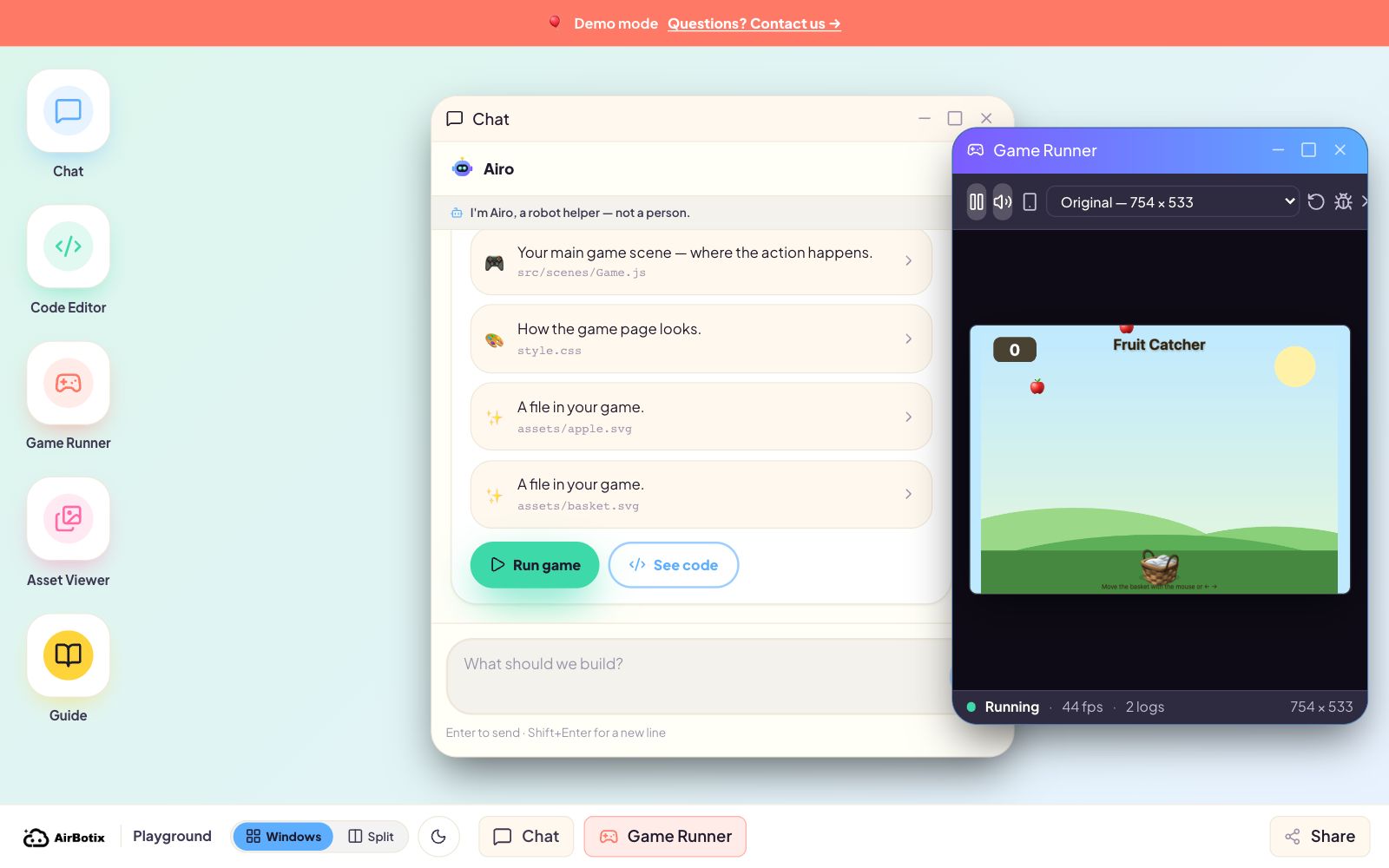
PRODUCT DEMO · AGES 8–14
Child’s work: Describe an idea, test each change and decide what to improve.
They practise: Creative direction, debugging, iteration and how code changes behaviour.
Explore this path →
INSPIRATION EXAMPLE · AGES 8–14
Child’s work: Choose the hero, setting, motion and the story the animation tells.
They practise: Prompt judgement, visual communication, revision and explaining choices.
Explore this path →IN FORMAL COLLABORATION WITH


In formal collaboration with CSIRO and the University of Southern Queensland (UniSQ), via the RUIC program.
Start free at home, join a listed class, or ask us to shape a private path.
FREE · AT HOME
Play two guided browser demos without an account or card. Best on a computer or tablet.
IN PERSON
Structured project courses with teacher feedback and 3–6 children per class.
WHEN LISTED
Focused, in-person intensives where children build and take a finished project home.
PERSONALISED · IN PERSON
A senior instructor shapes sessions around your child’s idea, pace and goals.
Choose three things and get a recommendation. No login, email or personal details.
Select one answer in each row to see your starting point.
The child still chooses the goal, tests what changes, spots what is wrong and explains what to improve. In classes, teachers ask children to show their reasoning—not just accept the first output.
Controls depend on the experience. Story Blocks has no open AI chat. Creative Code Studio guides creation inside a defined workspace. Kids OpenCode restricts work to the child’s project folder and asks for approval before file actions.
No. Start with their age and interests. Younger children can begin with stories and blocks; experienced older children can move into larger coding projects.
中文家长资源
查看学校、托儿、政府申请和本地家庭服务的中文指南。
Get a recommendation or let your child try a project before you book anything.